# 徽章设置

徽章设置可以为产品页面的不同场景提供促销、新品、赠品、以及预购等提示标志。通过使用不同颜色和样式的徽章，可以吸引顾客注意，增强产品的可见性，并有效提升销量。

### **徽章类型**

1. **促销徽章**\
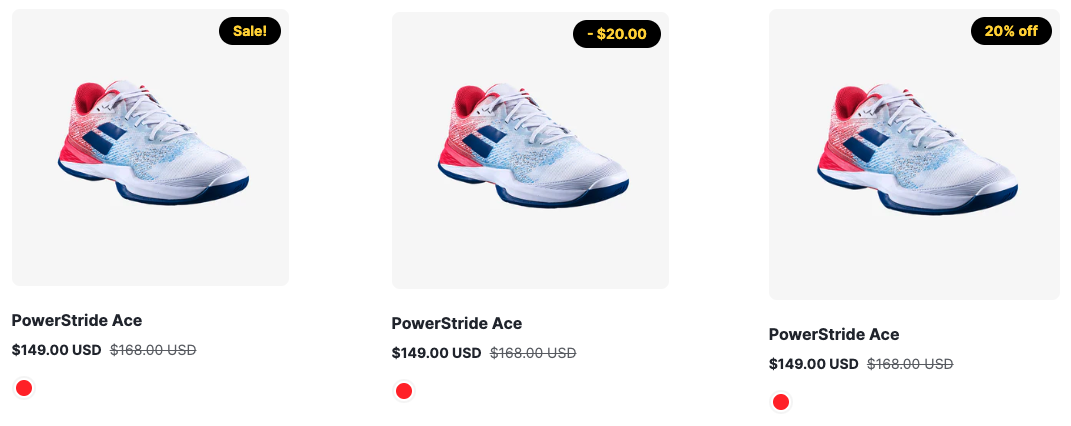
   用于显示促销活动信息。可以选择 **普通样式**、**显示金额** 或 **显示百分比** 的徽章样式。
   * 背景颜色：支持自定义促销徽章的背景颜色。
   * 文本颜色：支持自定义促销徽章的文本颜色。

     <figure><img src="/files/yqL8fIImaoZ7prZzwVYc" alt=""><figcaption><p>sale badge</p></figcaption></figure>
2. **赠品徽章**\
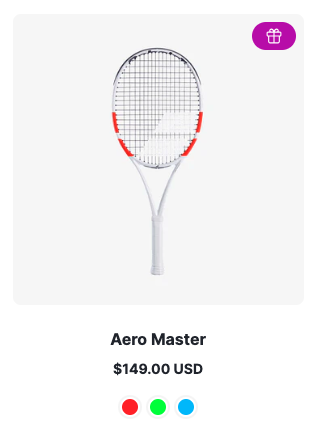
   用于显示赠品相关信息。当启用该徽章时，可以提醒顾客产品附带赠品。

   * 背景颜色：支持自定义赠品徽章的背景颜色。
   * 文本颜色：支持自定义赠品徽章的文本颜色。

   <figure><img src="/files/dj6o97D7AzLnDXm4PsYE" alt=""><figcaption><p>gift badge</p></figcaption></figure>
3. **新品徽章**\
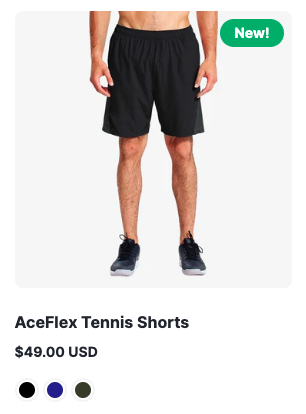
   用于标识新品发布 。
   * 背景颜色：支持自定义新品徽章的背景颜色。
   * 文本颜色：支持自定义新品徽章的文本颜色。
   * 设置新品判断依据，分为**发布时间**和**标签**两种判断依据。
   * 设置新品标签，当判断依据为**标签**的时候有效。
   * 设置新品发布天数，可选天数：7天、14天或30天，当判断依据为**发布时间**的时候有效。

     <figure><img src="/files/bHDoQqSgT4qopNfYXYGA" alt=""><figcaption><p>new badge</p></figcaption></figure>
4. **预购徽章**\
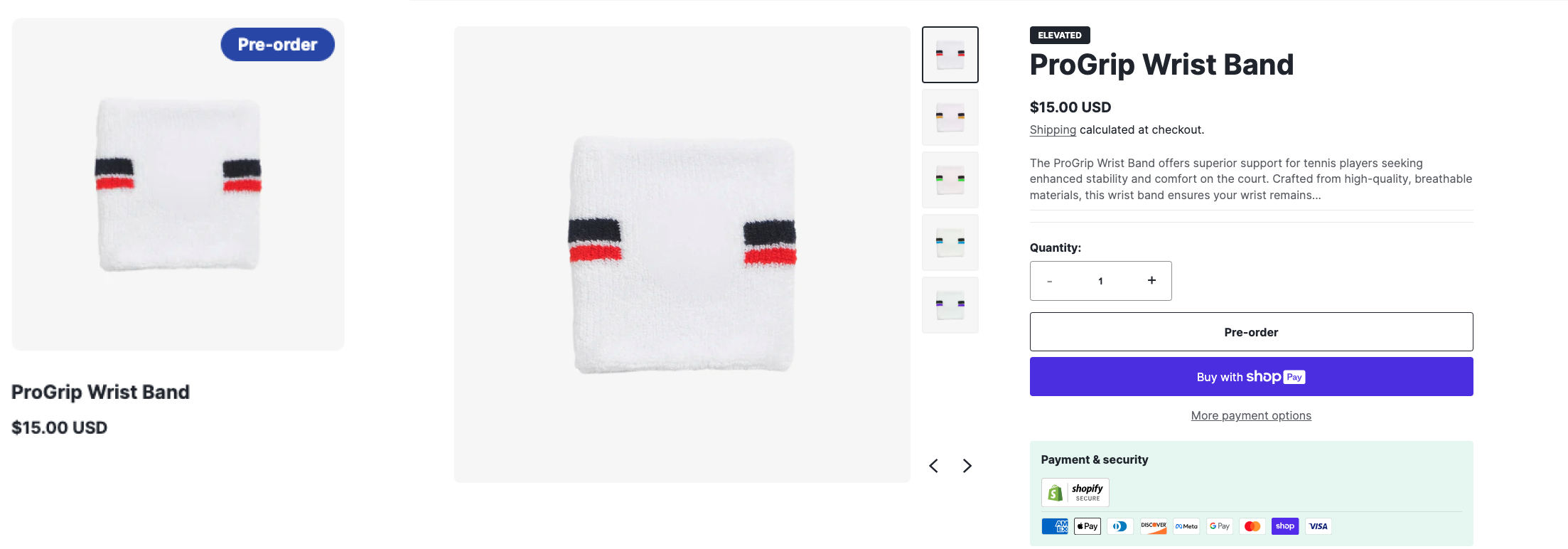
   用于显示预购产品信息。当产品符合预购条件时，启用该徽章同时也会在产品页面显示预购按钮。

   * 背景颜色：支持自定义预购徽章的背景颜色。
   * 文本颜色：支持自定义预购徽章的文本颜色。

   <figure><img src="/files/XItscuoVDRYqSj5LoM4x" alt=""><figcaption><p>pre-order badge and pre-order button</p></figcaption></figure>
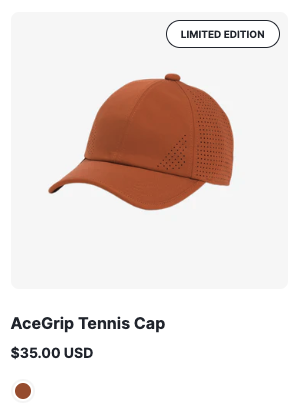
5. **限量版徽章**

   用于突出显示限量版产品。

   设置限量版产品标签

   <figure><img src="/files/aOjZKE0zRvPdBV7RZYcC" alt=""><figcaption><p>limited edition badge</p></figcaption></figure>

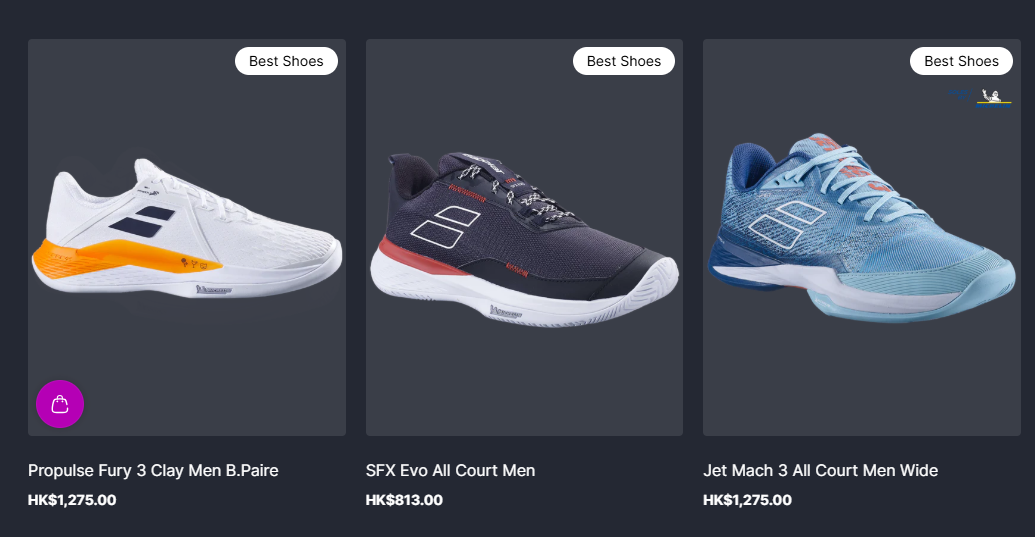
**6.自定义徽章**

通过给产品添加标签的方式添加自定义徽章，可设置自定义徽章的背景颜色和文字颜色，格式为 \_badge\_name, 例如\_Best Shoes。

<figure><img src="/files/sgHefkQHQUPO2foS1L0F" alt=""><figcaption></figcaption></figure>

### 注意事项

* 预购徽章启用时，产品页面必须满足预购条件，否则徽章和预购按钮不会显示。
* 在自定义颜色时，请确保背景和文本颜色具有良好的对比度，以保证徽章的可读性。


---

# Agent Instructions: Querying This Documentation

If you need additional information that is not directly available in this page, you can query the documentation dynamically by asking a question.

Perform an HTTP GET request on the current page URL with the `ask` query parameter:

```
GET https://en-ascent.webvista.studio/ascent-mu-ban-shi-yong-shuo-ming/quan-ju-she-zhi/hui-zhang-she-zhi.md?ask=<question>
```

The question should be specific, self-contained, and written in natural language.
The response will contain a direct answer to the question and relevant excerpts and sources from the documentation.

Use this mechanism when the answer is not explicitly present in the current page, you need clarification or additional context, or you want to retrieve related documentation sections.